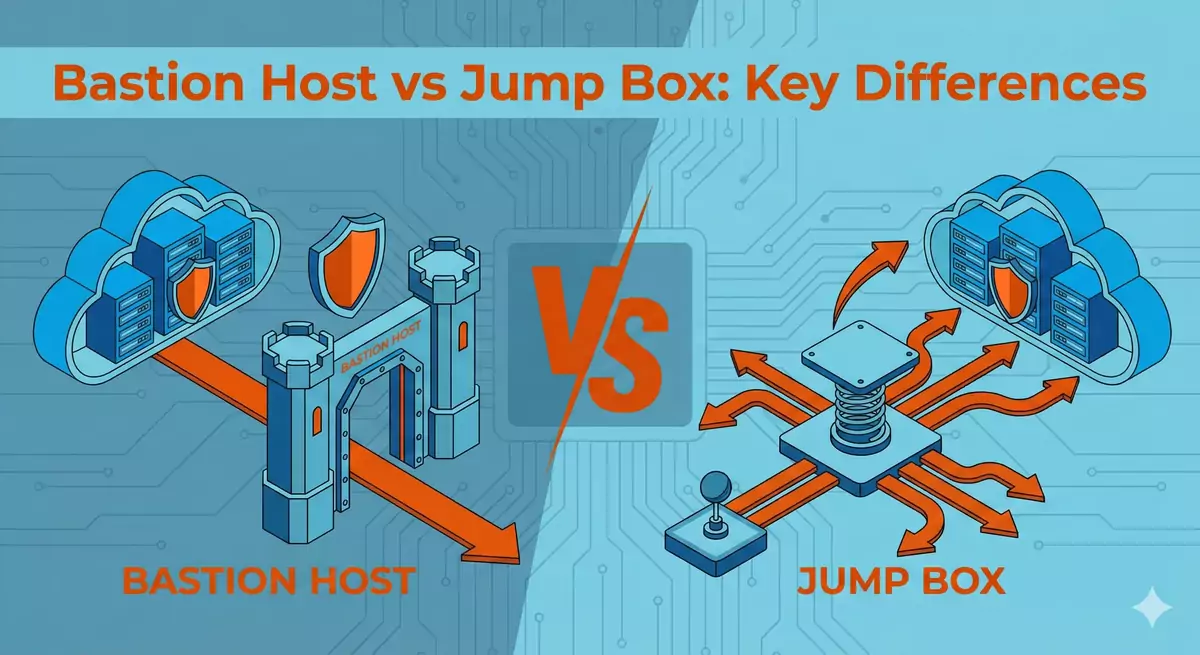
When discussing secure remote access to servers and cloud infrastructure, two terms frequently surface: bastion host and jump box. Many IT professionals use these terms interchangeably, but are they really the same thing? In this article, I’ll clarify the technical distinctions between these concepts, explain when to use each approach, and share best practices for implementing secure access solutions in AWS and on-premise environments.
What is a Bastion Host?
A bastion host is a specialized server designed specifically to withstand attacks from external networks. The term comes from the architectural concept of a bastion—a fortified structure that protrudes from castle walls, providing a strong defensive position.
In modern IT infrastructure, a bastion host serves as a hardened gateway between an untrusted external network (typically the internet) and a trusted internal network (your private infrastructure). Its primary characteristics include:
Key Characteristics of a Bastion Host
Minimalist design: A bastion host runs only the essential services needed for its function. Unnecessary software, services, and packages are removed to minimize the attack surface.
Hardened security configuration: The operating system and applications are configured with security as the top priority, often following standards like CIS benchmarks or NIST guidelines.
Exposed to the internet: Unlike most internal servers, a bastion host must be directly accessible from external networks, making its security configuration critical.
Single purpose: Its sole function is to provide secure access to internal resources. It doesn’t host applications or store sensitive data.
Comprehensive logging: All access attempts and activities are logged extensively for security monitoring and compliance requirements.
Common Use Cases for Bastion Hosts
SSH gateway: Providing secure SSH access to Linux servers in private networks.
RDP gateway: Enabling Remote Desktop Protocol access to Windows servers.
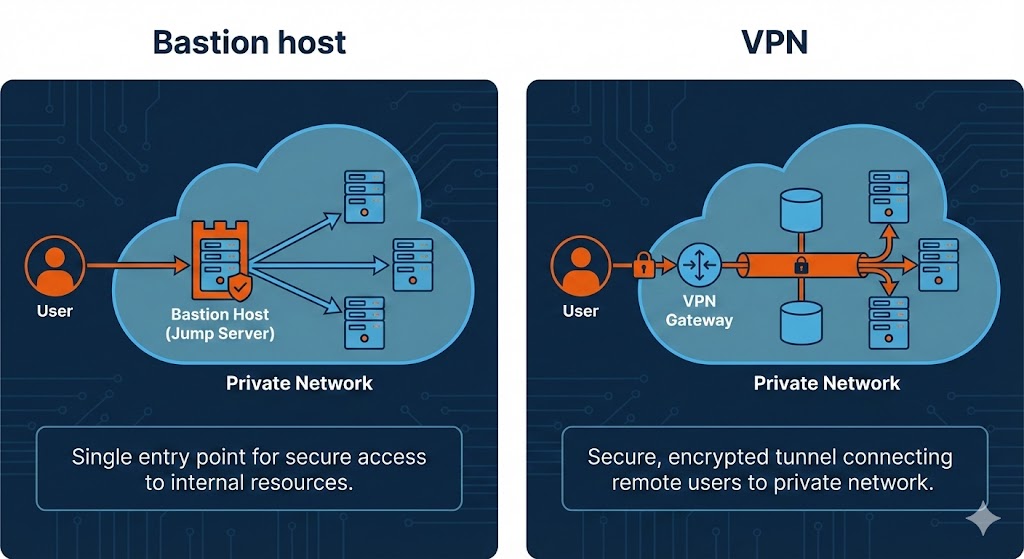
VPN endpoint: Acting as the entry point for VPN connections.
Management interface: Providing administrative access to cloud resources in private subnets.
Related Project
See a real implementation I have deployed multiple times for various clients in production: bastion host with 2FA authentication, role-based access control, encrypted SSH tunnels, complete session auditing, and automated user management in AWS.
View Project: AWS Infrastructure Security with Advanced Bastion HostWhat is a Jump Box?
A jump box (also called a jump server or jump host) is a server used to access and manage devices in separate security zones or network segments. The term reflects its function: you “jump” from one network segment to another through this intermediary server.
Key Characteristics of a Jump Box
Network pivot point: The jump box connects to multiple network segments, allowing administrators to access systems across different security zones.
Administrative workstation: Often functions as a full administrative environment with various management tools installed.
May not be internet-facing: Unlike bastion hosts, jump boxes frequently sit entirely within the internal network.
Multi-purpose server: Can host management tools, scripts, documentation, and other administrative utilities.
Centralized access point: Provides a single location from which administrators can reach multiple systems.
Common Use Cases for Jump Boxes
Data center management: Accessing servers across different VLANs or network segments within a data center.
Multi-environment access: Managing development, staging, and production environments from a single point.
Compliance segmentation: Accessing systems in different compliance zones (PCI-DSS, HIPAA, etc.) while maintaining audit trails.
Tool consolidation: Serving as a central location for specialized administrative tools and scripts.
Bastion Host vs Jump Box: The Key Differences
While the terms are often used interchangeably, there are important technical and architectural distinctions:
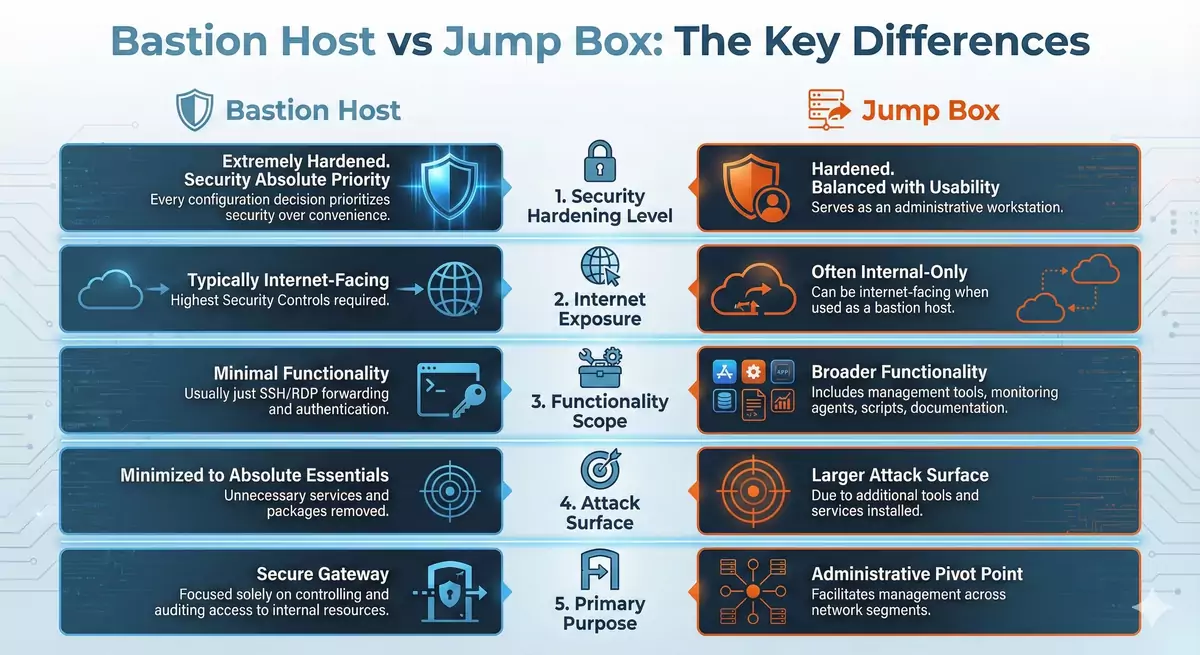
1. Security Hardening Level
Bastion Host: Extremely hardened, with security as the absolute priority. Every configuration decision prioritizes security over convenience.
Jump Box: Hardened, but often balanced with usability requirements since it serves as an administrative workstation.
2. Internet Exposure
Bastion Host: Typically internet-facing, requiring the highest level of security controls.
Jump Box: Often internal-only, though it can be internet-facing when used as a bastion host.
3. Functionality Scope
Bastion Host: Minimal functionality—usually just SSH/RDP forwarding and authentication.
Jump Box: Broader functionality—may include management tools, monitoring agents, scripts, and documentation.
4. Attack Surface
Bastion Host: Minimized to the absolute essentials, with unnecessary services and packages removed.
Jump Box: Larger attack surface due to additional tools and services installed for administrative purposes.
5. Primary Purpose
Bastion Host: Secure gateway focused solely on controlling and auditing access to internal resources.
Jump Box: Administrative pivot point that facilitates management across network segments.
The Overlap: When Terms Converge
In practice, a bastion host can function as a jump box, and a properly hardened jump box can serve as a bastion host. The distinction often depends on:
Implementation philosophy: Whether security minimalism (bastion) or administrative functionality (jump) takes priority.
Network architecture: Whether the server is internet-facing (suggesting bastion) or internal-only (suggesting jump box).
Organizational terminology: Different teams and organizations have their own preferences for these terms.
Best Practices for Implementation
Regardless of which term you use, follow these security best practices when implementing secure access gateways:
Authentication and Access Control
Use strong authentication: Implement multi-factor authentication (MFA) for all access.
Key-based authentication: Prefer SSH keys over passwords, with proper key management.
Principle of least privilege: Grant users only the minimum access they need.
Regular access reviews: Periodically audit who has access and revoke unnecessary permissions.
Network Security
Network segmentation: Place the access gateway in a DMZ or dedicated subnet.
Firewall rules: Implement strict ingress and egress rules—allow only necessary ports and protocols.
Source IP restrictions: When possible, limit access to known IP addresses or ranges.
Connection logging: Log all connection attempts, successes, and failures.
System Hardening
Minimal installation: Remove unnecessary packages and disable unused services.
Security updates: Implement a rigorous patching schedule.
Security benchmarks: Follow industry standards like CIS benchmarks.
File integrity monitoring: Detect unauthorized changes to critical system files.
Monitoring and Auditing
Centralized logging: Forward all logs to a secure, centralized log management system.
Security monitoring: Implement alerts for suspicious activities and failed access attempts.
Session recording: Consider recording SSH/RDP sessions for forensic and compliance purposes.
Regular security audits: Periodically review configurations and access patterns.
AWS Implementation Example
In AWS, bastion hosts are commonly implemented to access EC2 instances in private subnets:
# Example of connecting to a private EC2 instance through a bastion host
# First, connect to the bastion host in the public subnet
ssh -i bastion-key.pem ec2-user@bastion-public-ip

# Then, from the bastion, connect to the private instance
ssh -i private-key.pem ec2-user@private-instance-ip

# Or use SSH agent forwarding (more secure)
ssh-add private-key.pem
ssh -A -i bastion-key.pem ec2-user@bastion-public-ip
ssh ec2-user@private-instance-ip
Modern AWS Alternatives
AWS now offers Systems Manager Session Manager, which provides secure shell access to EC2 instances without requiring a bastion host:
No open inbound ports: Session Manager doesn’t require SSH or RDP ports to be open.
IAM-based authentication: Leverages AWS IAM for authentication and authorization.
Session logging: All sessions are logged to CloudWatch or S3.
No bastion maintenance: Eliminates the need to maintain and secure a separate bastion instance.
However, bastion hosts remain relevant for:
- Accessing resources in on-premise data centers
- Organizations with specific compliance requirements
- Hybrid cloud architectures
- Third-party system access
GCP Implementation Example
In Google Cloud Platform, bastion hosts are traditionally used to access Compute Engine instances in private subnets:
# Example of connecting to a private GCE instance through a bastion host
# First, connect to the bastion host in the public subnet
gcloud compute ssh bastion-instance --zone=us-central1-a

# Then, from the bastion, connect to the private instance
gcloud compute ssh private-instance --zone=us-central1-a --internal-ip
Modern GCP Alternatives
GCP offers Identity-Aware Proxy (IAP) for secure access to VM instances without requiring a bastion host:
No public IP required: Connect to instances with only internal IP addresses using IAP tunnels.
IAM-based access control: Leverages Google Cloud IAM for authentication and authorization.
Audit logging: Complete audit trail of all access in Cloud Logging.
OS Login integration: Automatic SSH key management and centralized user management.
GCP bastion hosts remain useful for:
- Accessing resources in on-premise data centers
- Organizations with specific compliance or regulatory requirements
- Hybrid cloud architectures connecting GCP with other environments
- Legacy systems that require traditional SSH access patterns
Conclusion
While bastion host and jump box are often used interchangeably, understanding their nuanced differences helps in designing more secure and appropriate access architectures:
-
Bastion Host: A security-hardened, minimalist gateway specifically designed to withstand attacks while providing controlled access to internal resources.
-
Jump Box: An administrative pivot point that may include management tools and utilities, used to access systems across different network segments.
In practice, the distinction matters less than the implementation. Whether you call it a bastion host or jump box, focus on:
- Proper security hardening
- Strong authentication mechanisms
- Comprehensive logging and monitoring
- Regular security audits
- Following the principle of least privilege
With cloud providers offering modern alternatives like AWS Systems Manager Session Manager and Google Cloud’s Identity-Aware Proxy, evaluate whether you still need a traditional bastion host or if newer, managed solutions better fit your security requirements.
The goal remains constant: provide secure, auditable remote access to your infrastructure while minimizing the attack surface and maintaining operational efficiency.


Comments
Submit comment